
Choose a rule
Try a preset such as Clean Console to remove logging from the sample file.
A desktop editor for trying code transformations and reviewing the diff before you apply them.
v0.1 desktop prototype
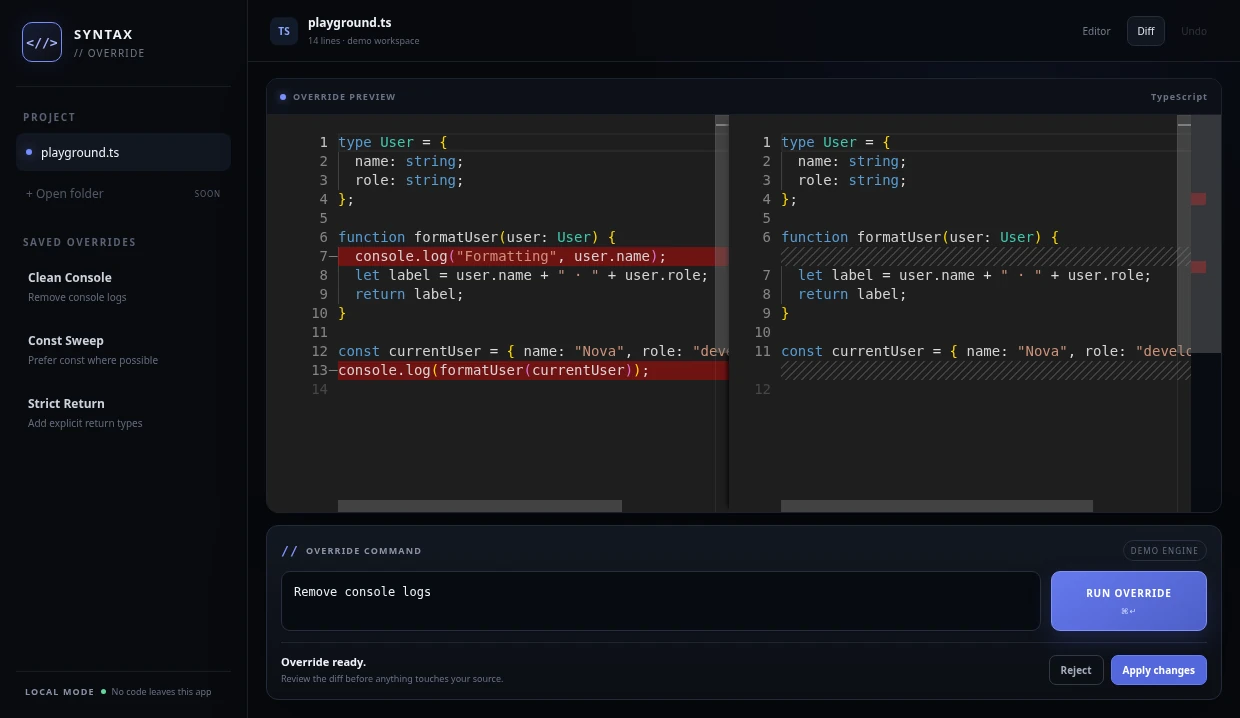
The current prototype runs built-in rules on sample TypeScript. Its rule engine runs locally.
Try a preset such as Clean Console to remove logging from the sample file.
Read the original and proposed versions side by side in the Monaco editor.
Apply or reject the proposal. Undo an applied override if you change your mind.
Sample TypeScript, override presets, and apply, reject, and undo controls.
Open a project folder, browse files, and save approved changes to disk.
Optional providers for project-aware overrides, with the same diff review.